Now in early access
Your knowledge.
Put to work.
OrbContext is the AI harness for your business: your knowledge, tools and guardrails in one layer, ready to power whatever you build next.
Grounded in your content · Sources shown · Data stored in India
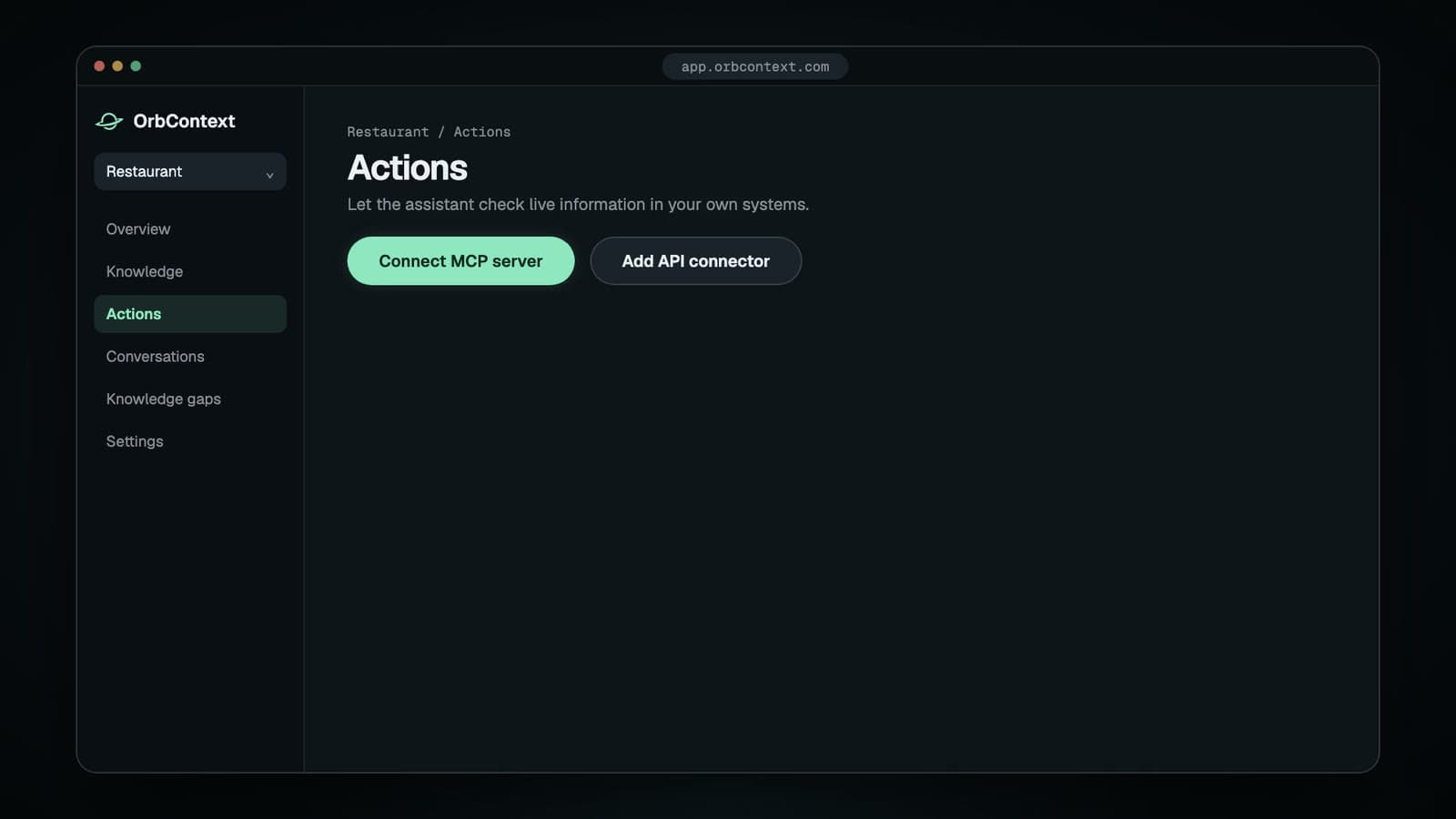
Product one · Website assistant
An AI assistant on your site, with one line of code.
Drop the snippet before </body>. It works on WordPress, Shopify, Wix, Webflow and any React or Next.js site, with no developer, build step or style clashes.
- Answers stream in as they’re written, with suggested next questions.
- Match your brand with your own colour, position and greeting.
- Lock the assistant to your own domains so nobody else can use it.
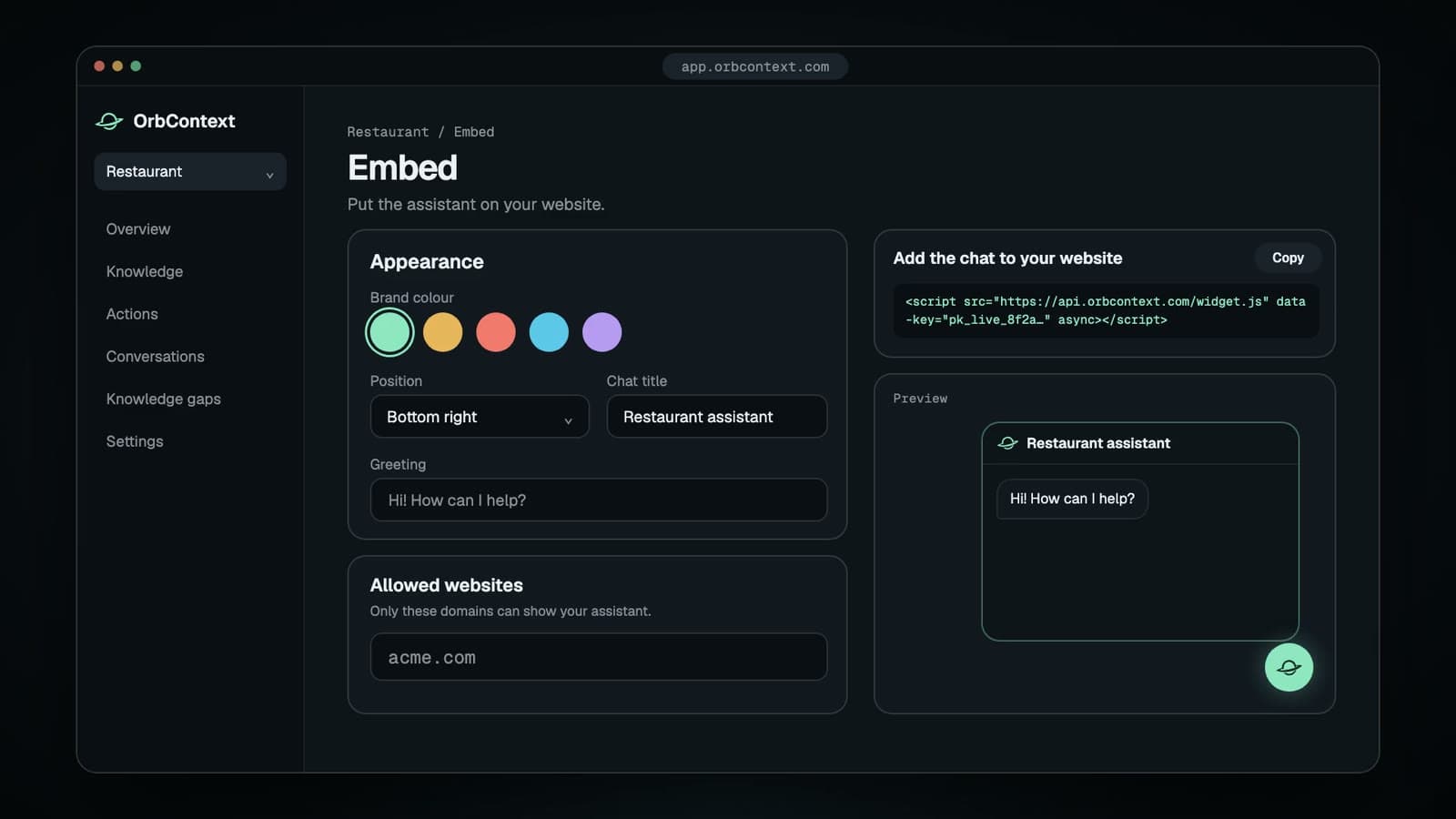
<script src="https://api.orbcontext.com/widget.js" data-key="pk_live_YOUR_KEY" async></script>See it in action
AI you can trust starts with your own knowledge.
Everything OrbContext does is grounded in your content: it shows where each answer came from, admits what it doesn’t know, and gets better from every gap. These are real flows from the product, shown with an example restaurant.
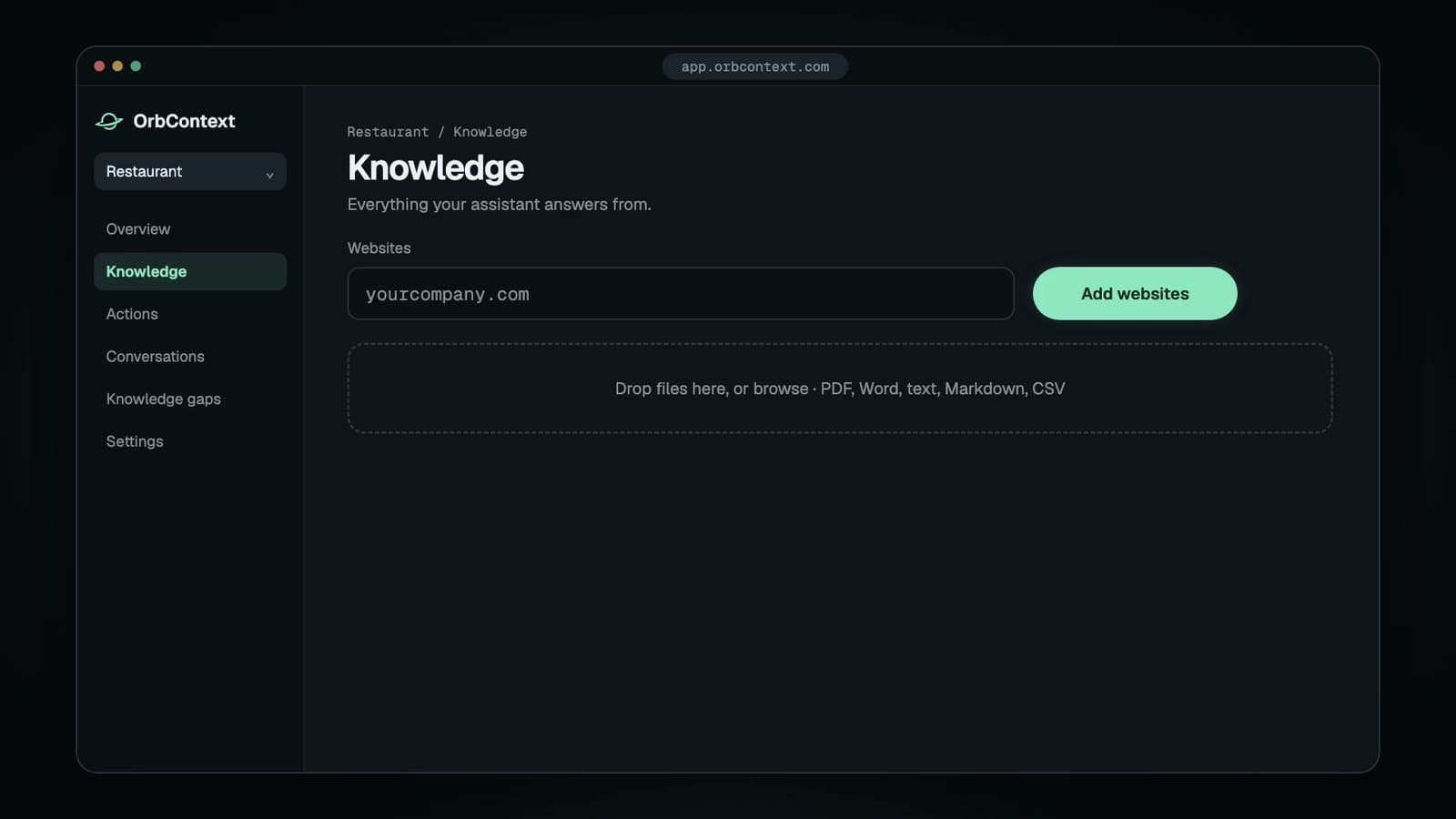
Paste your website and drop in documents. OrbContext reads every page, tells you when it’s ready, and re-reads your site daily or weekly so answers stay current.
Live actions
From answering questions to getting things done.
Connect the systems you already use through an MCP server or our API connector. OrbContext can check live information and take actions, and nothing changes without the visitor’s say-so.
MCP server
Point OrbContext at any Model Context Protocol server. It discovers every tool the server offers.
API connector
Connect any HTTPS REST API, with GET or POST, a bearer token or custom header, and the response fields you choose.
Connect your system
Add an MCP server or an API endpoint, with a token if it needs one. Credentials stay on our servers.
Choose what it can use
Try each tool with sample inputs and switch on only the ones you want. Anything that changes data is marked as a write action.
Keep visitors in control
The assistant picks the right tool as the conversation goes. Write actions always show a summary and wait for the visitor to confirm.
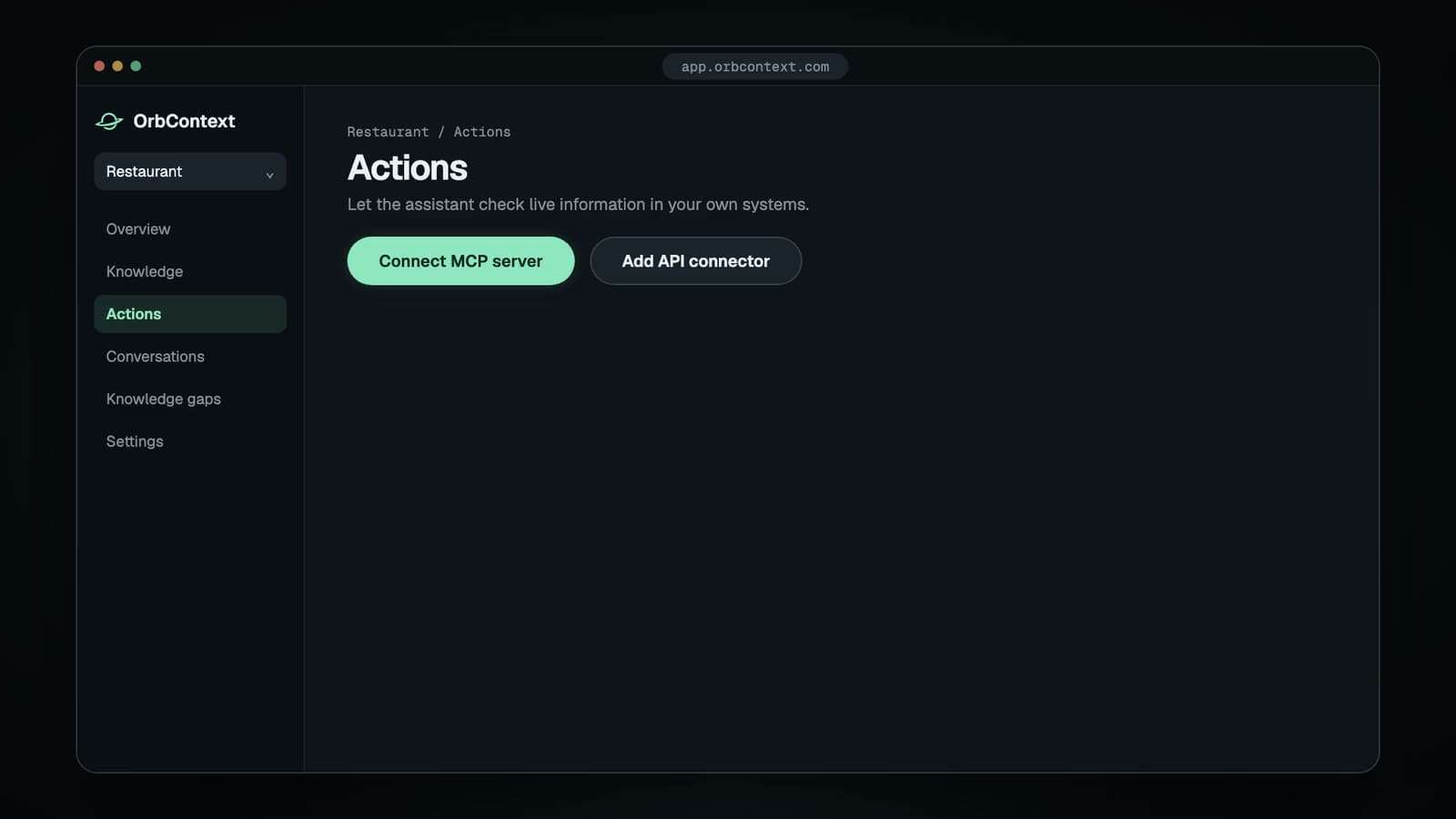
Credentials and variables stay on the server. Tool calls and their outcomes are recorded with the conversation.
Live playground
Don’t take our word for it. Ask.
Pick a sample business and ask it anything. Try a question its documents don’t cover and watch it decline to guess. These demos run in your browser; your own assistant uses the content you add.
Northwind Leave & Work Policy 2026
- p.2Full-time employees accrue 18 days of earned leave per calendar year.
- p.2Unused earned leave up to 10 days carries forward to the next year.
- p.4Employees receive 12 days of paid sick leave each year.
- p.4Sick leave beyond 2 consecutive days requires a medical certificate.
- p.5Interns receive 1 day of paid leave per month of internship.
- p.6Employees may work from home up to 2 days per week with manager approval.
- p.6Interns work from the office for their first 30 days, then follow the standard WFH policy.
- p.8Salary is credited on the last working day of each month.
- p.9The notice period is 30 days for all roles below Manager.
- p.11Maternity leave is 26 weeks of fully paid leave.
Northwind People Desk
Answers only from Leave-Policy-2026.pdf
This demo runs entirely in your browser on sample documents. Nothing you type is sent anywhere.
Use cases
For any business that runs on information.
Restaurants & hospitality
Menus
Ingredients, options, and prices
Answer menu, timing and policy questions instantly. Connect your booking or ordering system for live availability and confirmed requests.
Ecommerce & retail
Catalogs
Products, variants, and specifications
Explain products, sizes and return policies. Connect your store for stock checks and order status, with verification before personal details are shared.
Services & professional teams
Services
Offerings, eligibility, and policies
Explain your services, eligibility and pricing from your own guides and FAQs, and capture leads when a visitor needs a person.
Education
Courses
Programs, requirements, and fees
Answer questions about programmes, admissions and fees from your approved material, in the language students and parents use.
Examples, not restrictions. Any business purpose works without an industry template.
Security & trust
Your knowledge stays yours.
Customer trust is the whole point, so security is built into the foundation, not bolted on. Here is exactly what that means.
Tenant isolation, three times over
Every request, database query and search is scoped to your workspace, and each layer checks it independently.
Stored in India
Your documents, search index, conversations and backups are stored in data centres in India.
Built for the DPDP Act
Ask us to export or permanently delete your workspace, including files, search index and chats, and we will.
Encrypted everywhere
HTTPS in transit and encrypted storage at rest. API keys are hashed, shown once and can be rotated any time.
Visitors stay in control
Actions that change data always need the visitor’s confirmation, and visitors can erase their own conversation.
Your data trains nothing
Your documents answer your customers. They are never used to train AI models.
Developers
Your knowledge. Your application.
Build on the same foundation. Use scoped server-side keys, document uploads and streaming answers to bring your business knowledge into your own apps and workflows.
# Create a scoped key in API & Keys.# Keep your API key on your backend. # 1. Choose your botcurl "$ORBCONTEXT_API_URL/v1/bots" \ -H "Authorization: Bearer $ORBCONTEXT_API_KEY" # 2. Upload knowledgecurl "$ORBCONTEXT_API_URL/v1/bots/$BOT_ID/documents" \ -H "Authorization: Bearer $ORBCONTEXT_API_KEY" \ -F file=@Leave-Policy-2026.pdf # 3. Ask a question after the document is readycurl -N "$ORBCONTEXT_API_URL/v1/chat" \ -H "Authorization: Bearer $ORBCONTEXT_API_KEY" \ -H "Content-Type: application/json" \ -d '{"botId":"YOUR_BOT_ID","message":"How many sick leaves?"}'REST API · v1
Connect your app and your tools
Use the REST API to call OrbContext from your backend. To let OrbContext call your systems, connect an MCP server or an API connector in your bot’s Actions tab.
GET/v1/bots
Choose a bot from your workspace.
POST/v1/bots/:botId/documents
Upload your knowledge.
GET/v1/bots/:botId/documents
Check when documents are ready.
POST/v1/chat
Stream grounded answers to your app.
Knowledge that stays current
Connect a Google Sheet and answers follow your edits. It is re-checked hourly, and a failed refresh keeps the last good version answering.
Limits you can plan for
Chat and widget traffic are capped per workspace, so one busy site cannot starve the rest. Over a limit you get a 429 with Retry-After.
Actions run once
An approved action carries an idempotency key and is never sent again after a timeout or a repeated confirmation. Your systems see one write.
You choose the AI providers
A workspace owner can restrict which providers may receive your content. Chat, reranking, search and indexing all follow it, and it fails closed.
Now building
One foundation. More ways to put it to work.
Everything you add to OrbContext today will power these features as they arrive. Early-access members get them first and help shape them.
Answers that stay correct
In the worksAnswer corrections
Mark a reply as wrong, write the right one, and similar questions get your version from then on.
JavaScript-heavy websites
Full page rendering for sites built as single-page apps, so nothing on screen is missed.
From conversation to customer
In the worksLead alerts on WhatsApp
Lead alerts already arrive by email. Next, a WhatsApp message the moment a visitor leaves their details, with a summary of what they asked.
Human takeover
A shared inbox where your team can step into a live chat, and an after-hours mode that collects details instead.
Ready-made actions
Appointment booking, payment links and order status, set up in a few clicks with nothing to configure.
Leads in your CRM
Captured leads land in Google Sheets or your CRM, where your team already works.
Conversation insights
A weekly summary of what customers asked, what went unanswered, and the leads you captured.
Workflow automations
Chain your connected tools: when a visitor books, create the booking and notify the owner.
More places to help
In the worksWhatsApp assistant
The same grounded answers on your WhatsApp Business number, where your customers already ask.
Voice notes
Customers speak their question and hear the answer back, in their own language.
Instagram and Google messages
Answer enquiries from Instagram DMs and your Google Business Profile from the same knowledge.
AI reply drafts
Cited draft replies for support emails and tickets. Your team reviews and sends.
Staff assistant
A private assistant for your team: procedures, policies and product details, answered from your own documents.
FAQ
Questions, answered plainly.
What OrbContext does, where your data lives, and how to get access.
Something else? support@orbcontext.com
What is OrbContext?
OrbContext is an AI assistant for your website that answers customer questions using only your own content: your website pages and the documents you upload. Every answer shows the source it came from. It is the first product on a platform that will bring the same knowledge to more channels and tools.
How is OrbContext different from a general chatbot like ChatGPT?
A general chatbot answers from what it learned on the internet, so it can invent details about your business. OrbContext answers only from the content you give it, shows the source for each answer, and says so when your content does not cover a question instead of guessing.
What happens when the assistant does not know the answer?
It tells the visitor it could not find the answer in your information and offers to pass them to your team by collecting their contact details. The question is saved in a Knowledge gaps list, where you can write the answer once so it is covered next time.
What content can I add?
You can add a website address, which OrbContext crawls page by page while following your robots.txt, and upload PDF, Word (.docx), text, Markdown and CSV files. You can also connect a Google Sheet, so prices, stock or menus stay current when you change a cell. Typical content includes menus, catalogues, price lists, policies, FAQs and course guides.
How do I add the assistant to my website?
Paste one line of code before the closing body tag of your site. It works on WordPress, Shopify, Wix, Webflow and any React or Next.js site. Developers can also call the REST API from their own backend and receive streaming answers.
Which languages does it support?
Visitors can ask in English, Hindi, Hinglish or Tamil. The assistant replies in the language and script the visitor used, even when your source documents are in English.
Can the assistant do more than answer questions?
Yes. You can connect an MCP server or any HTTPS REST API so the assistant can look up live information, such as availability or order status, and take actions such as creating a booking. Actions that change data always ask the visitor to confirm first.
Where is my data stored, and is it used to train AI models?
Your documents, search index, conversations and backups are stored in data centres in India (Hyderabad and Mumbai). Answers are generated by OpenAI’s API, and OpenRouter ranks the search results before an answer is written; both process the relevant text in the United States. Your content is never used to train AI models. You can ask for your workspace to be exported or permanently deleted, in line with India’s DPDP Act.
How do I get access, and what does it cost?
OrbContext is in early access. Request access on the website, and we review each request and create your account. Pricing has not been announced yet.
Put your business knowledge to work.
Tell us about your business. We review every request personally and help you get started, beginning with your website assistant.
Request early access